Optimistic Locking - Detecting and Resolving Conflicts Requirements
- Khalilah Gambrell
- Owen Stephens
- Brooks Travis
Requirements
- Define requirements for when a conflict is detected
- Via FOLIO user interface
- Via backend system/service/process
- Define requirements for resolving a conflict
- Via FOLIO user interface
- Via backend system/service/process
- Define error handling requirements
Scenarios
- Multiple users acting on the same record at the same time
- Multiple users and automated processes/services/systems acting on the same record at the same time, either single record or multiple record(s)?
- Multiple automated processes/services/systems acting on the same record(s?) at the same time
Use cases - Must test to validate functionality
(Taken from UXPROD-1752 - Please add others. These will be refined to more detailed workflows/use cases for testing.)
The following use cases must be tested to confirm that optimistic locking works as expected. Please select a use case and document whether the use case passes or fails.
Environment to test Optimistic Locking: https://core-platform.ci.folio.org/ (u: diku_admin / p: admin). Note that optimistic locking is only implemented for the Inventory app and so all testing should be related to an Inventory instance, holdings, and item record.
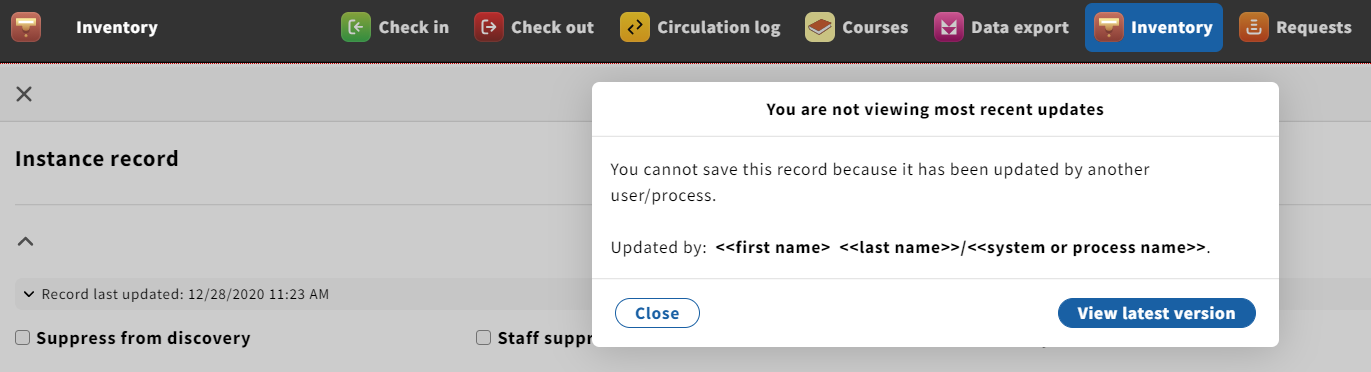
When a conflict is detected, you will see this message. UIIN-1872 - Getting issue details... STATUS
https://drive.google.com/file/d/10d8iELI694Mgsi5RtRfs1ppCgrPp9WLB/view
- More frequent: 1 user and system trying to act on the same record, either individual records or batch
| Use case | Tester (enter your name as a mention) | Use case work as expected (Pass/Fail? | Comments |
|---|---|---|---|
| User A editing a record and system/process (Data Import) updates completed while User A was editing | |||
| User A editing a record and system/process (Single Record Import) updates completed while User A was editing | Charlotte Whitt | Passed ? | User A edited the record
and due to delay in the OCLC overlay, I did not see any conflict error message/modal, and User B's overlay is done as well
|
| User A has taken an action (delete/move/change status) and system/process updates are in progress | |||
| System/process has taken an action (delete/move/change status) while User A is editing a record | |||
| User A editing a record and data import updating the same record | |||
| User A editing an item and while bulk renewal action has updated the item | |||
| User A views the detect conflict modal and closes modal. S/he views updated record and edits record. There is no conflict and user should be able to update record successfully. |
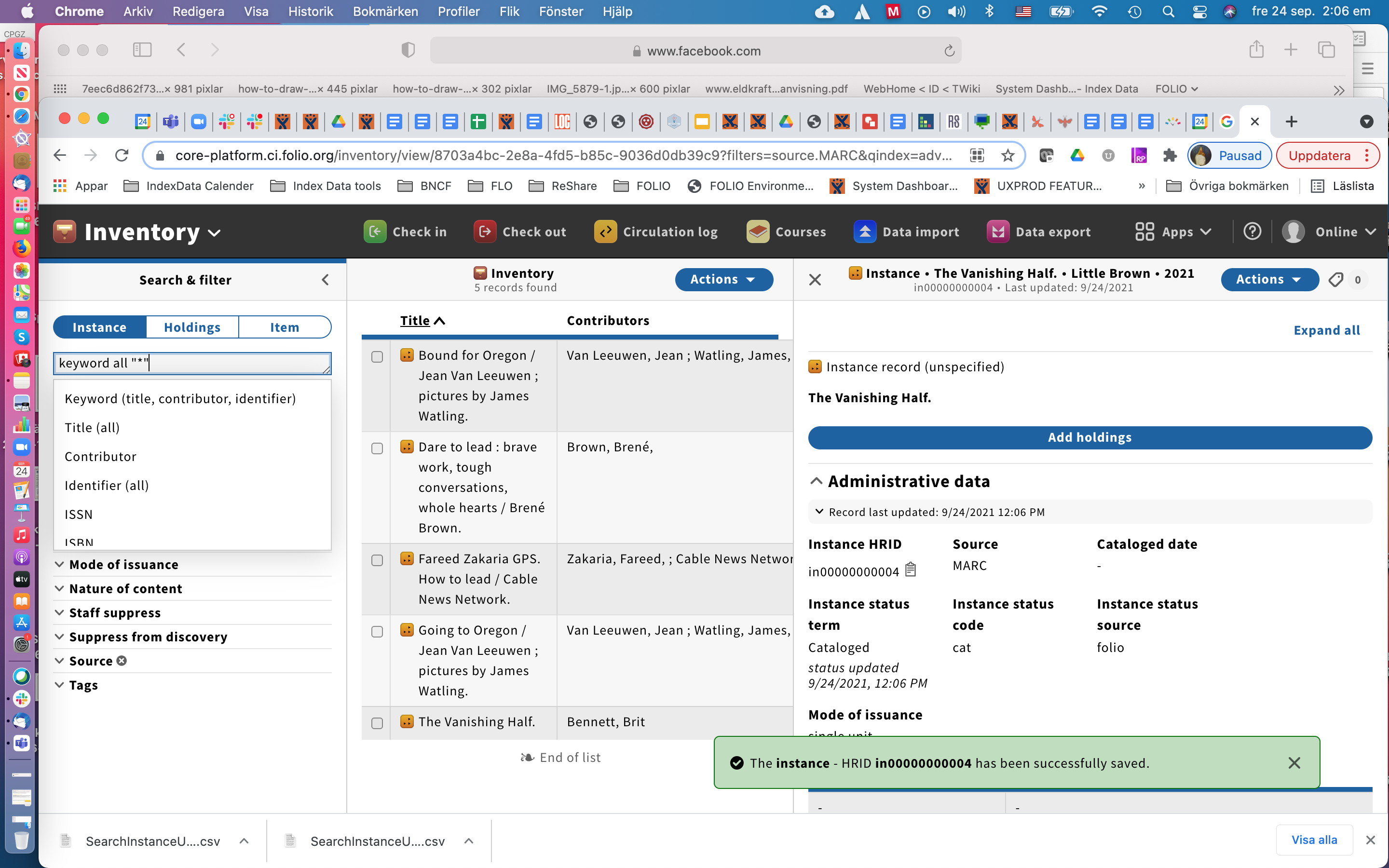
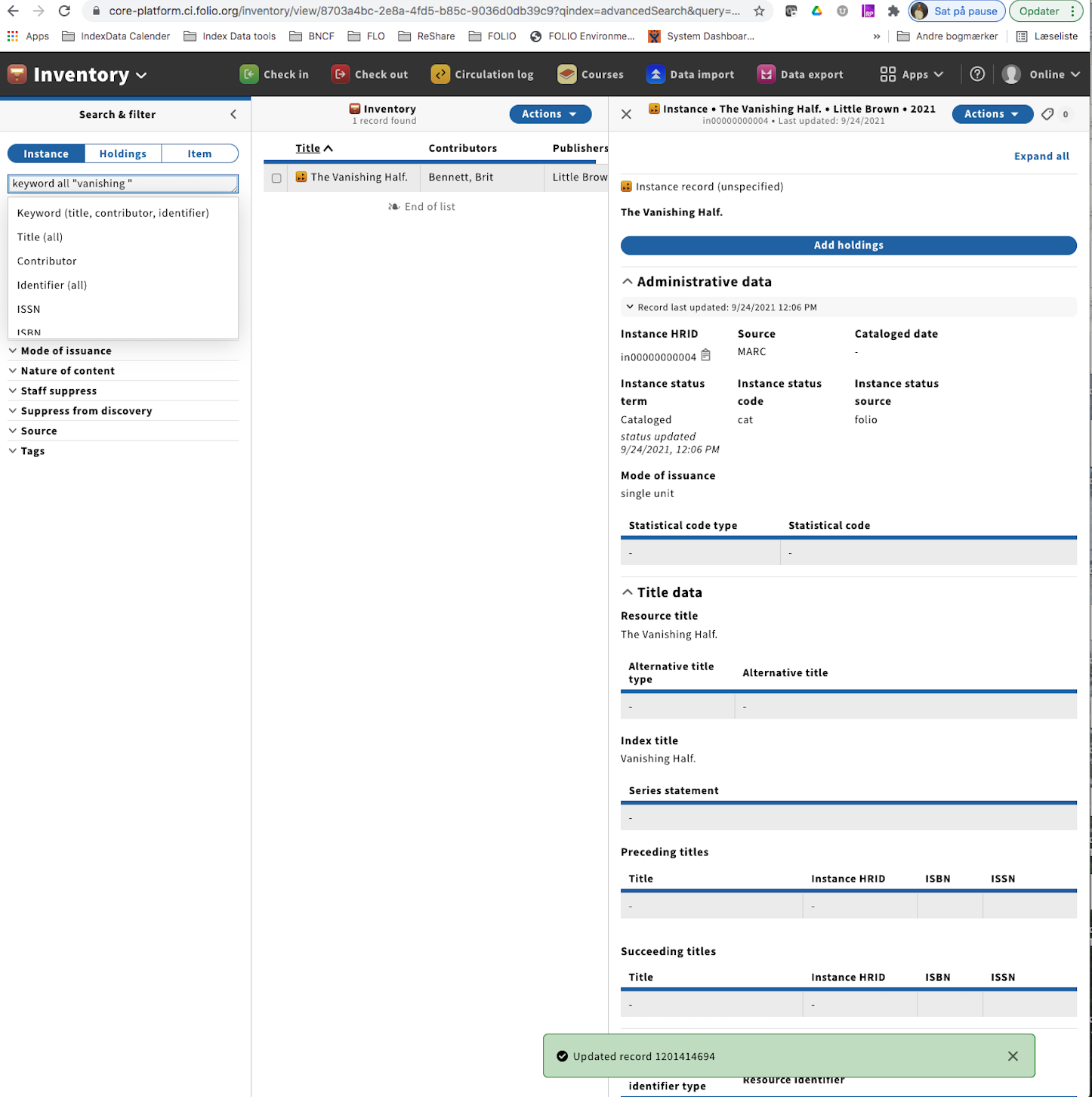
- Less frequent: 2 users editing the same record at the same time
| Use case | Tester (enter your name as a mention) | Use case work as expected (Pass/Fail)? | Comments |
|---|---|---|---|
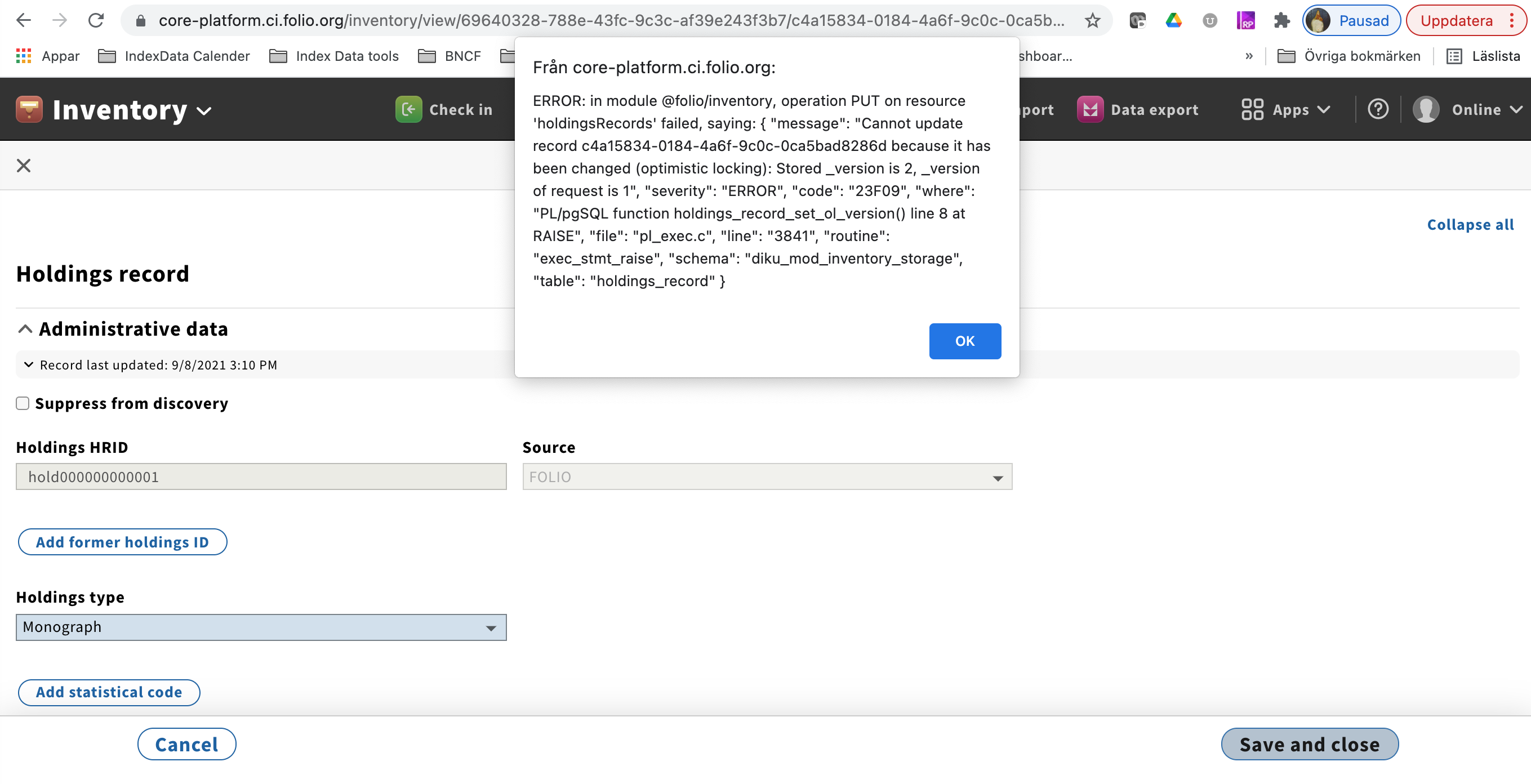
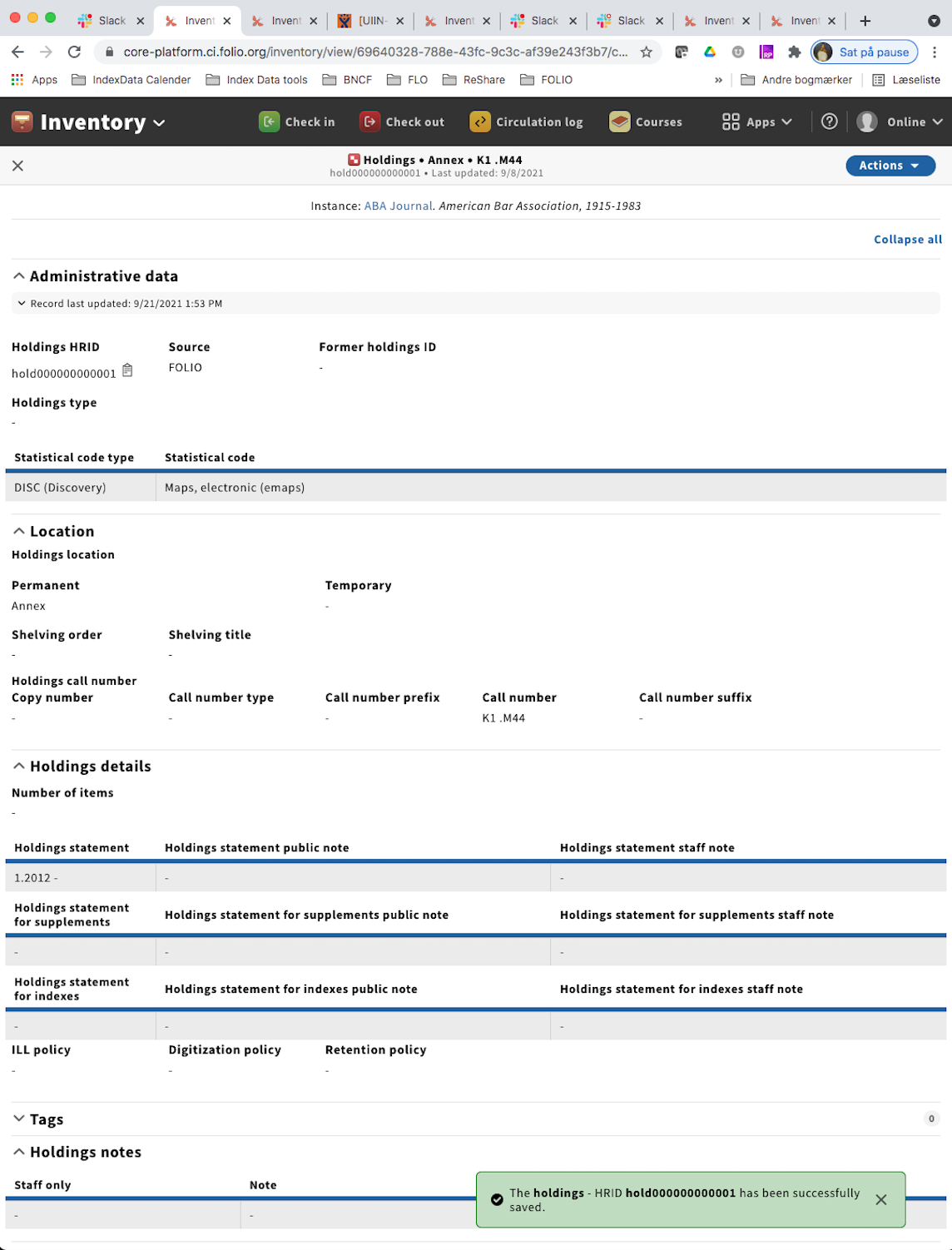
| User A and User B editing the same holdings record. User B saves record then User A hits Save. | Pass with error message | User A and B hits Save at the same time. User A get Error message saying: ERROR: in module @folio/inventory, operation PUT on resource 'holdingsRecords' failed, saying: { "message": "Cannot update record c4a15834-0184-4a6f-9c0c-0ca5bad8286d because it has been changed (optimistic locking): Stored _version is 2, _version of request is 1", "severity": "ERROR", "code": "23F09", "where": "PL/pgSQL function holdings_record_set_ol_version() line 8 at RAISE", "file": "pl_exec.c", "line": "3841", "routine": "exec_stmt_raise", "schema": "diku_mod_inventory_storage", "table": "holdings_record" }
User B's work is saved, and gets a green success toast
| |
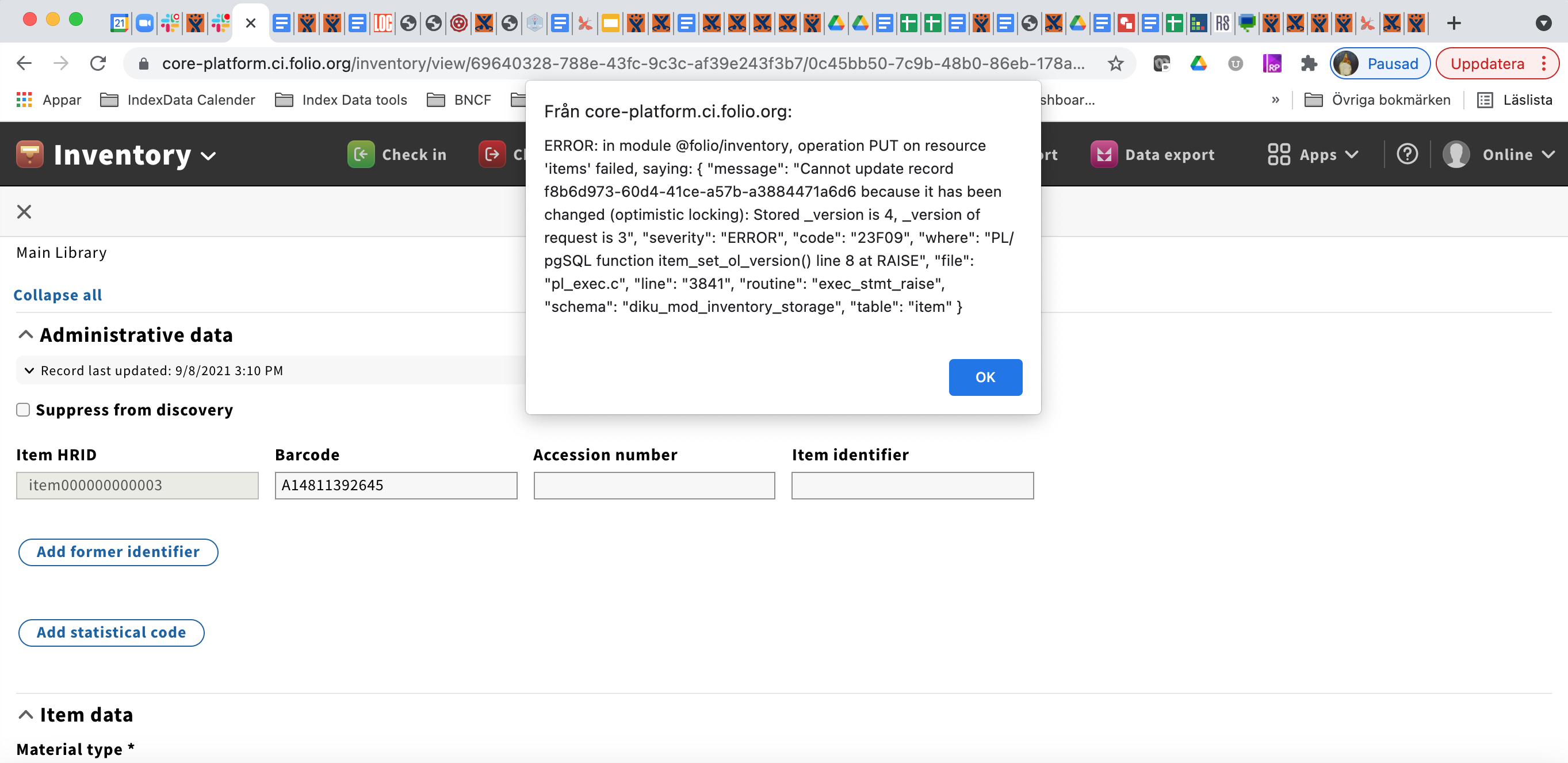
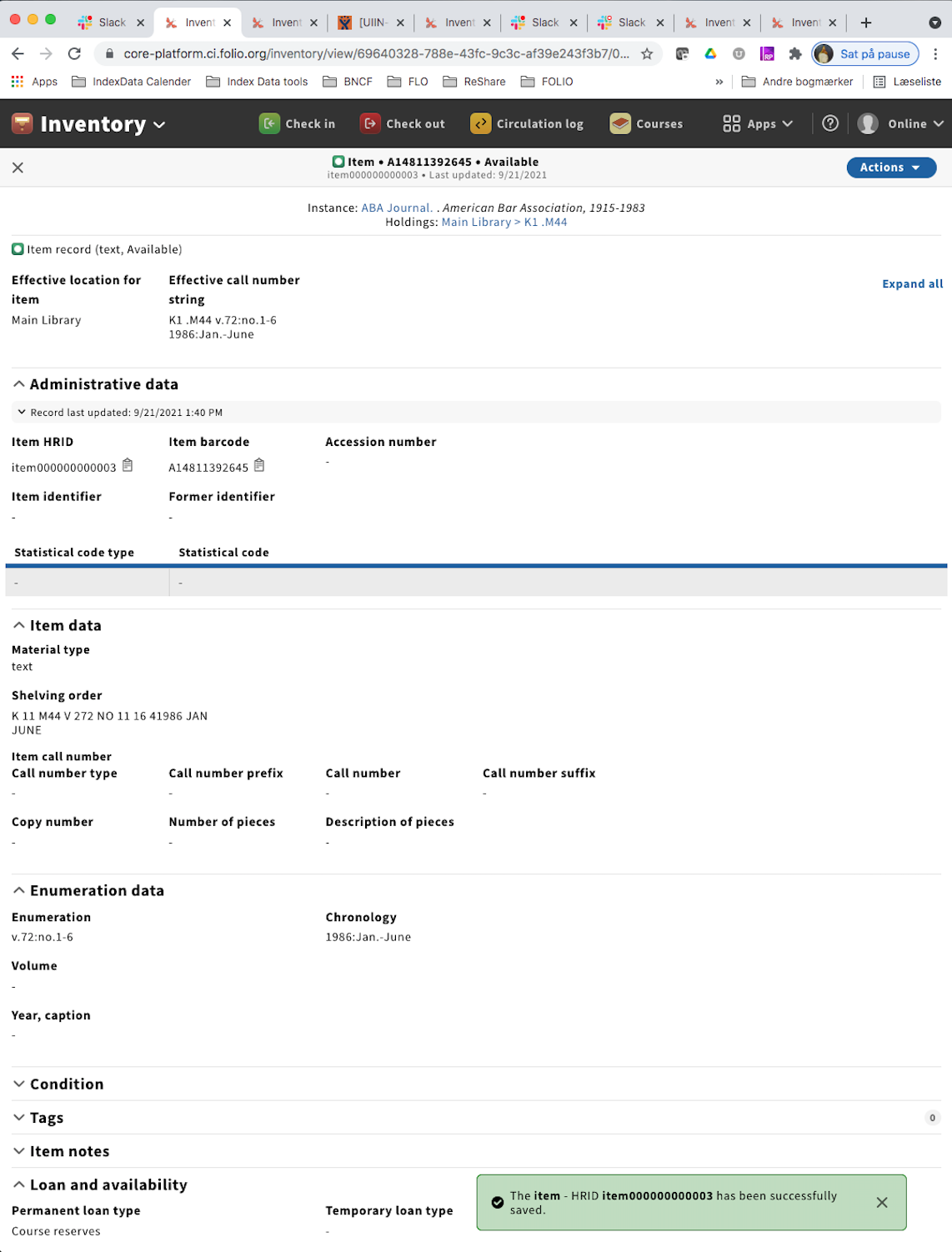
User A and User B editing the same item record. User B saves record then User A hits Save. | Pass with error message | User A and B hits Save at the same time. User A gets Error message saying: ERROR: in module @folio/inventory, operation PUT on resource 'items' failed, saying: { "message": "Cannot update record f8b6d973-60d4-41ce-a57b-a3884471a6d6 because it has been changed (optimistic locking): Stored _version is 4, _version of request is 3", "severity": "ERROR", "code": "23F09", "where": "PL/pgSQL function item_set_ol_version() line 8 at RAISE", "file": "pl_exec.c", "line": "3841", "routine": "exec_stmt_raise", "schema": "diku_mod_inventory_storage", "table": "item" }
User B's work is saved, and gets a green success toast
| |
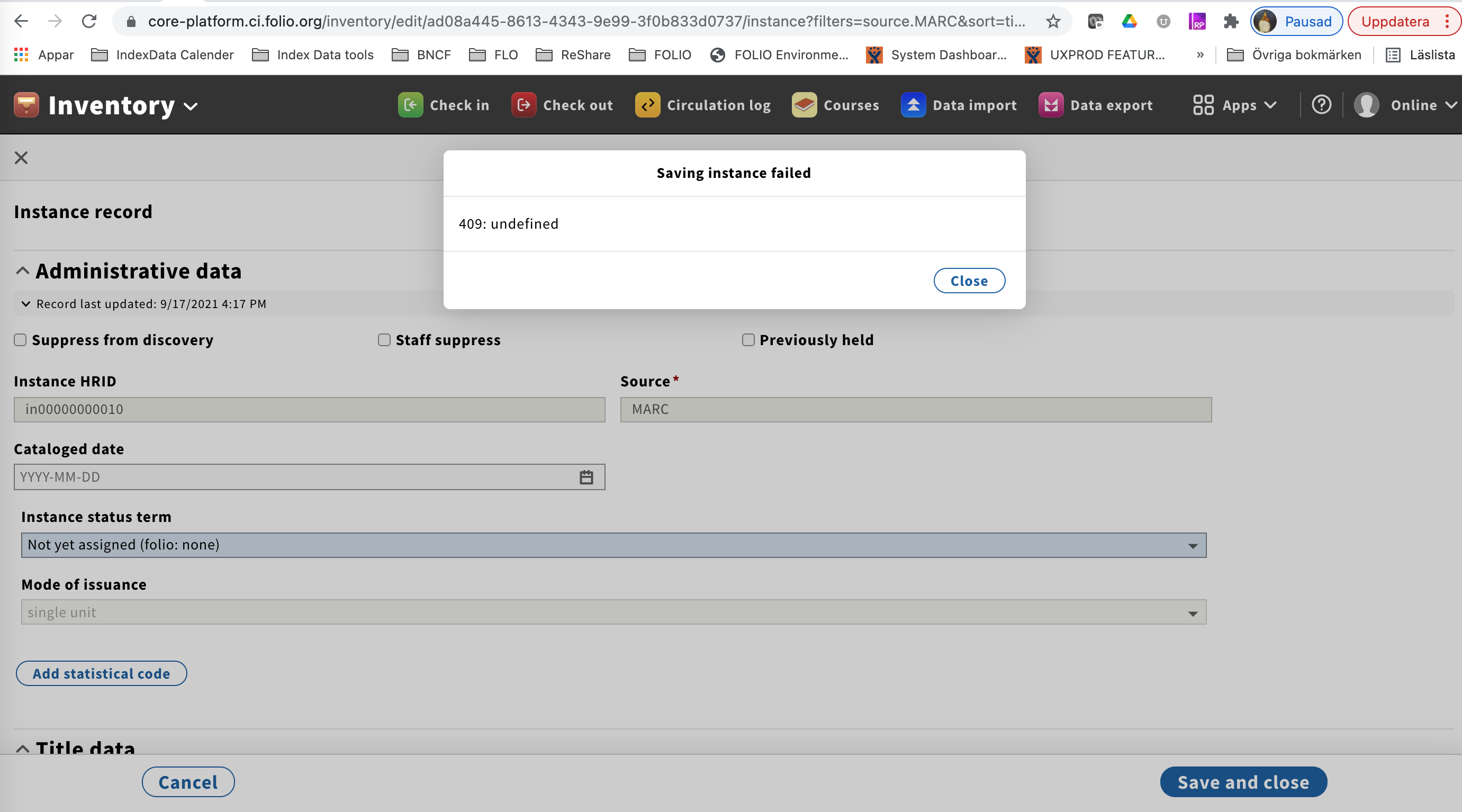
| User A and User B editing the same instance record. User B saves record then User A hits Save. | Pass with Instance modal. | User A and B hits Save at the same time. Saving instance modal, and User A get the error message 409: undefined
| |
| User A editing an item and User B creating a request for that item | Pass with exception | No conflict modal displays BUT returning to item record view does not display updated # of requests UNLESS you refresh the web page | |
| User A editing an item and User B cancels the request before User A's edits are saved. | Khalilah Gambrell | Pass with exception | No conflict modal displays BUT returning to item record view does not display updated # of requests UNLESS you refresh the web page |
| User A is moving a request from one item to another at the same time User B is editing item record that the request is moving from/to | Khalilah Gambrell | Pass? | Conflict modal displays BUT returning to item record view does not display updated # of requests UNLESS you refresh the web page |
| User A editing an item and User B putting that item on course reserve at the same time | Pass | Adds an item to a course reserve record updates temporary location. > User attempts to save item record > OL message displays.] | |
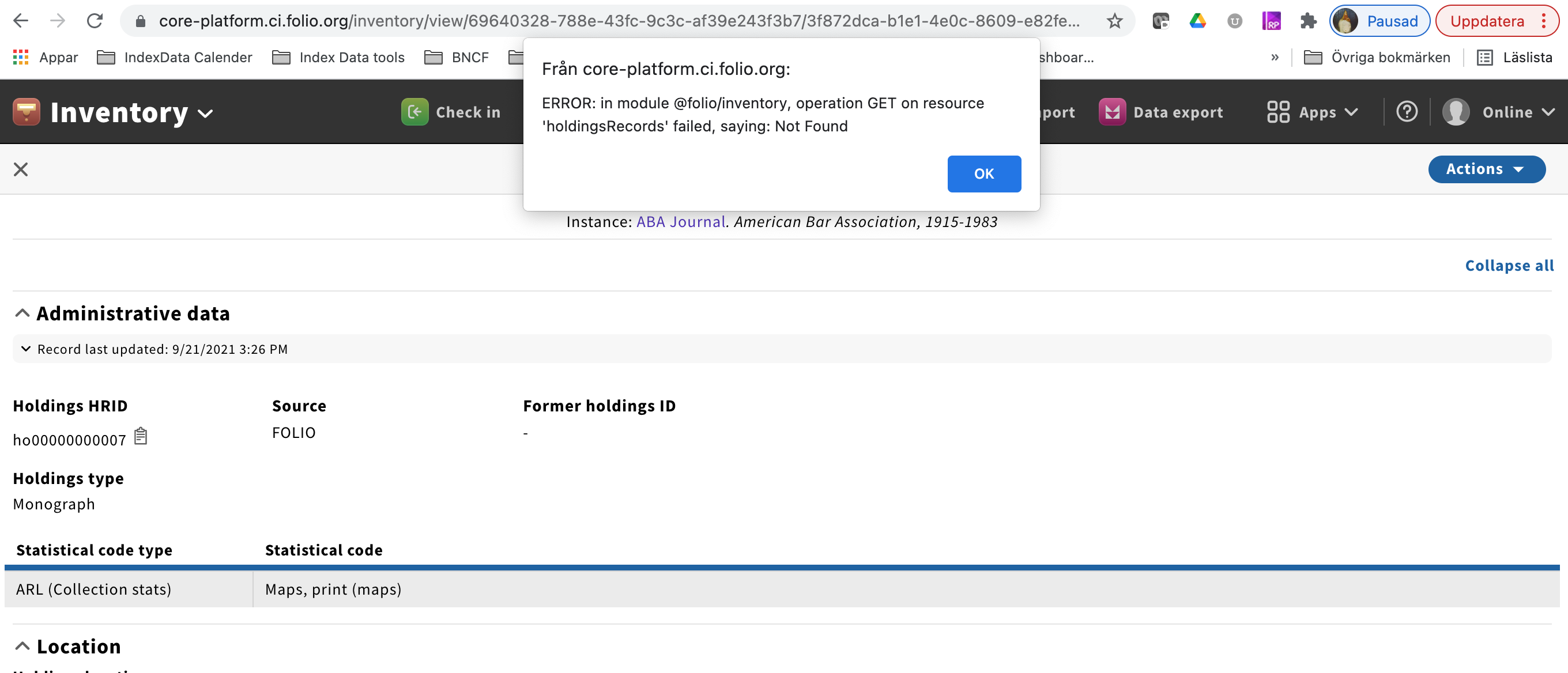
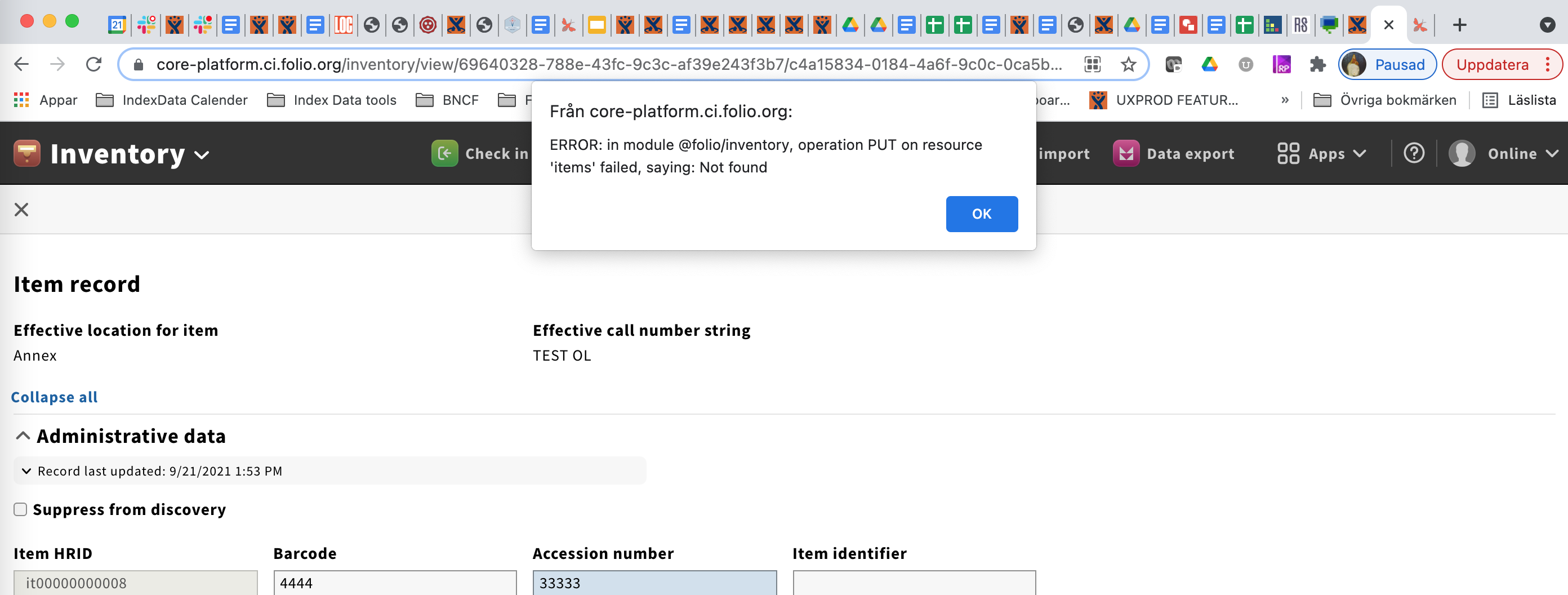
| User A editing a holdings record and User B has deleted this given holdings record. User A hits Save. | Will retest: Charlotte Whitt | Pass with error message |
User A hits Save at the same time, and User B save the Deletion modal at the same time. User A gets Error message saying: ERROR: in module @folio/inventory, operation GET on resource 'holdingsRecords' failed, saying: Not Found
User B's work is saved, and the holdings record is deleted as expected
|
| User A editing an item record and User B has deleted this given item record. User A hits Save. | Pass with error message | User A hits Save at the same time, and User B save the Deletion modal at the same time. User A gets Error message saying: ERROR: in module @folio/inventory, operation PUT on resource 'items' failed, saying: Not found
User B's work is saved, and the item record is deleted as expected | |
| User A editing a request while User B checks the item out to the patron (which updates the request status) | Khalilah Gambrell | Pass | |
| User A editing an item while checkin occurs to update the item status. | Pass | ||
| User A editing an item while fee/fine has been created for an item. | Khalilah Gambrell | Pass | No conflict detection modal displays when no change to item status. |
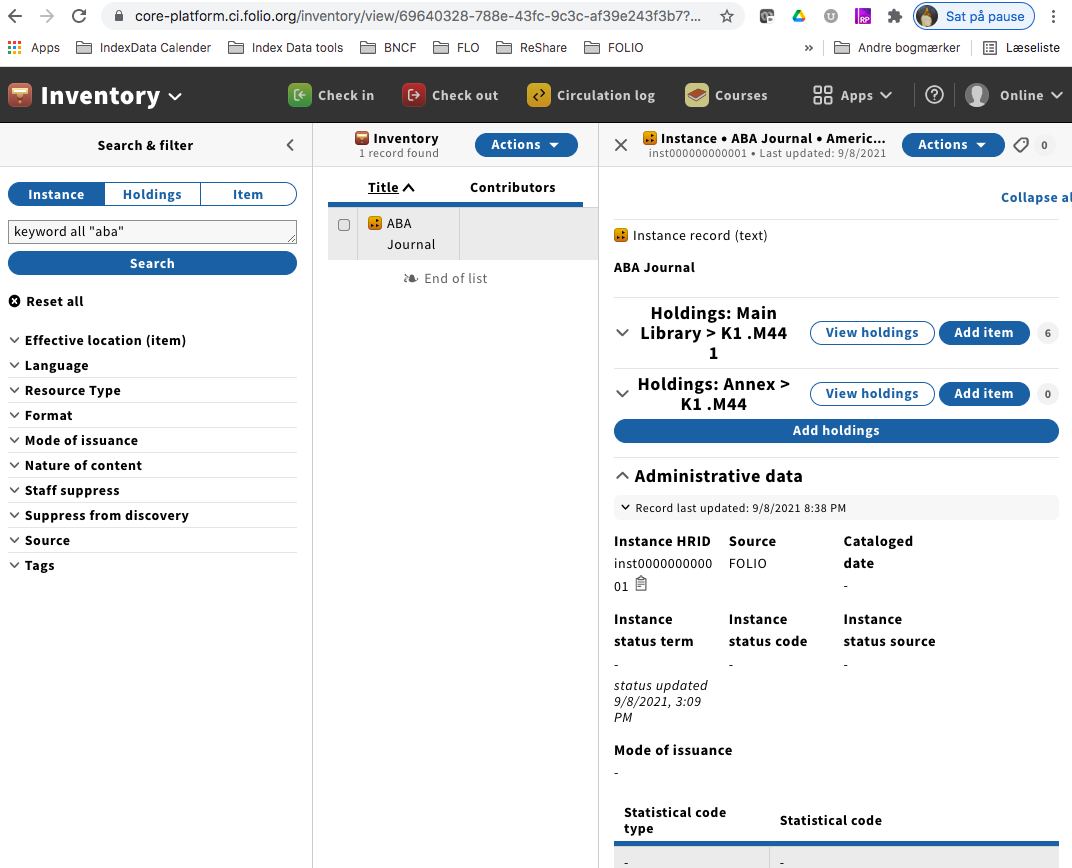
| User A editing a holdings record while holdings record has been moved to another instance | Fails the OL test | User B moves the holdings., which user A is still editing. No conflict is detected. UIIN-1644 - Getting issue details... STATUS | |
| User A editing an item record while item has been moved to another holdings record | Fails the OL test | User B moves an item to another holdings. User A is editing the same item (update item status to be Marked as In process). No conflict is detected. UIIN-1646 - Getting issue details... STATUS | |
| User A editing record while another User marks a record | Khalilah Gambrell | Pass | Anything that changes item status triggers display on conflict detection modal. |
| User A is editing Instance record AND User B is editing quickMARC record. User B saves quickMARC record | |||
| User A is editing instance record and user B has overlaid same record. User A hits Save | Khalilah Gambrell | ||
| User A is editing quickMARC record and user B has overlaid same record. User A hits Save | Khalilah Gambrell | ||
| User A views the detect conflict modal and closes modal. S/he views updated record and edits record. There is no conflict and user should be able to update record successfully. | Khalilah Gambrell | Pass |
- Two automated processes acting on the same record
| Use case | Tester (enter your name as a mention) | Use case work as expected (Pass/Fail)? | Comments |
|---|---|---|---|
| Checkout happening and updating status on an item record at the same time as import updating the item | |||
| Data import happening at 2 libraries within the same tenant, affecting the same record (e.g. 5 Colleges processing new cataloging records) | |||
What is Optimistic Locking?
Optimistic locking is a strategy for preventing two processes or users making conflicting updates to the same record. Despite its name, optimistic locking does not actually involve a "lock" on a record, but depends on detecting a conflict at the point a user tries to save a record. It is "optimistic" in that it assumes that situations where multiple processes/users retrieve the same record, then try to save conflicting changes to that record, are rare.
Optimistic locking works by have a version number on each record. When a record is retrieved by a process/user they get the current version number as part of the record. To update the record, the process/user has to pass back the version number, and this is checked before the change to the record is saved. If the version number on the save matches the current record version, then the save is successful and the version number is updated to reflect the new version of the record that has just been saved. If the version number on the save does not match the current record version, then the save fails.
This diagram illustrates how two attempts to save an update to the same starting record fails in an optimistic locking scenario. Although this is shown with "users" updating the record, it would equally apply to any process trying to update the record.
.jpeg?version=1&modificationDate=1630576120000&cacheVersion=1&api=v2&width=691&height=400)
Currently in FOLIO, the retrieval of a record for viewing and the retrieval of a record for editing results in exactly the same request to the backend of the application - so when a request is made, the backend does not know whether the requester (user or process) intends to eventually make an edit or not - the backend can only return the current version of the record. It is only when the process (e.g. the user in the UI) hits "save" on a record that the backend application becomes aware that the record is being edited. This means that optimistic locking is a good fit for the FOLIO architecture.
Further descriptions of optimistic locking are available online. This Medium post on API Concurrency Control Strategies is a good introduction.
Additional explanations that might be helpful
- App X asks Inventory for the record for Item A. Inventory responds and says "Here's Item A, with version number 1.0!"
- App X makes whatever updates it's going to do and says ok, I'm done, here you go Inventory. It must send the data back to inventory with the version number: "Here's item A, with my updates, with version number 1.0!"
- Inventory receives the data and compares the version number it's getting from App X with the version number it has stored for item A in its database. It's basically "OK, App X says it has version 1.0.... so what version do I have?"
- If Inventory looks at the item record and also has version 1.0, then it accepts the update and increments the version number - something like "OK, I've updated Item A, and it's now version 1.1!"
- But suppose Inventory looks at its stored record and the stored record has version 1.1. It then says to App X "You gave me version 1.0, and in storage I have version 1.1. I can't accept your update!" It returns a 409 CONFLICT error and does not do the update. At that point, it's up to App X to decide what to do.
UI Message
Option 1: Inform user that record they were editing was updated while they were editing it. Do not allow user to edit record.
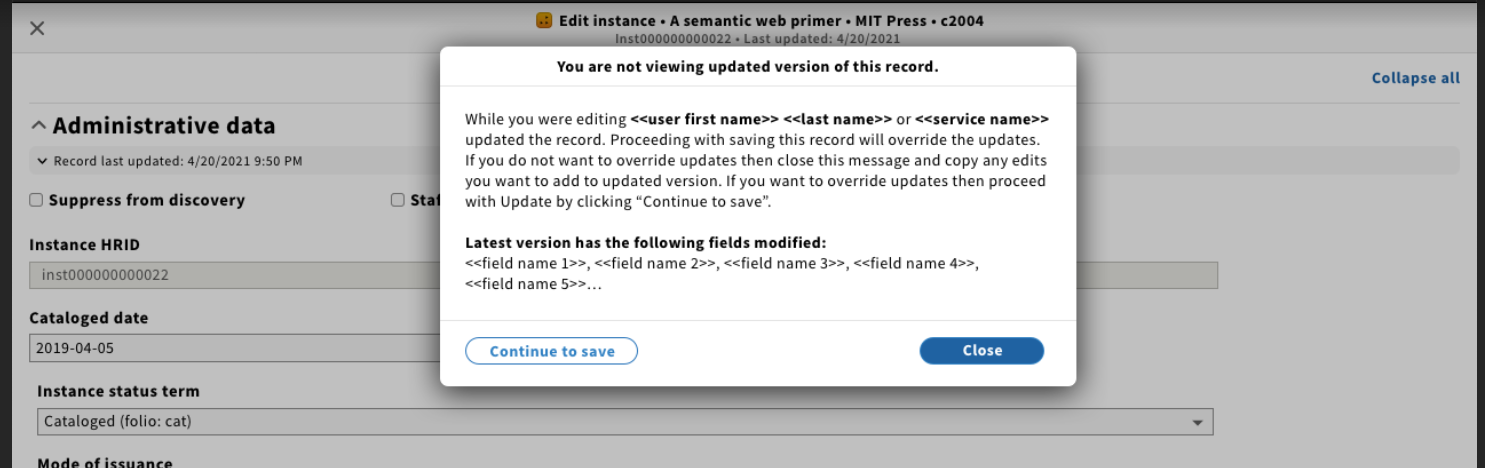
Option 2 : Inform user that record they were editing was updated while they were editing it. Allow user to override updates.
- Need to confirm these workflows when user takes an action on the same record at the same time (different from optimistic locking? more race conditions)
- User editing a record at the same time another user is deleting the record
- User is editing a holdings record while someone moves the holdings to another instance
Actions that update Inventory records:
- Instances
- Manual updates
- SRS updates via quickMARC
- SRS updates via Data Import
- SRS updates via Single Record Import
- Union Catalogue updates via mod-inventory-update (GBV's solution)
- Union Catalogue updates via script (Chalmer's solution)
- Holdings
- Manual updates
- Data Import
- Receiving
- Items
- Manual updates
- Data Import
- Receiving
- Courses (can update loan type and/or location)
- Check in
- Check out
- Requests
- Fee/Fine automated workflows
- Users → Loans (changing a loan's status can change an item's status - e.g., claim returned, declared lost)
Related Features
Jira feature for Inventory implementation in Kiwi:
UXPROD-3089 - Getting issue details... STATUS
Draft/blocked Kiwi feature for supporting Inventory's Kiwi Optimistic Locking implementation:
UXPROD-3173 - Getting issue details... STATUS