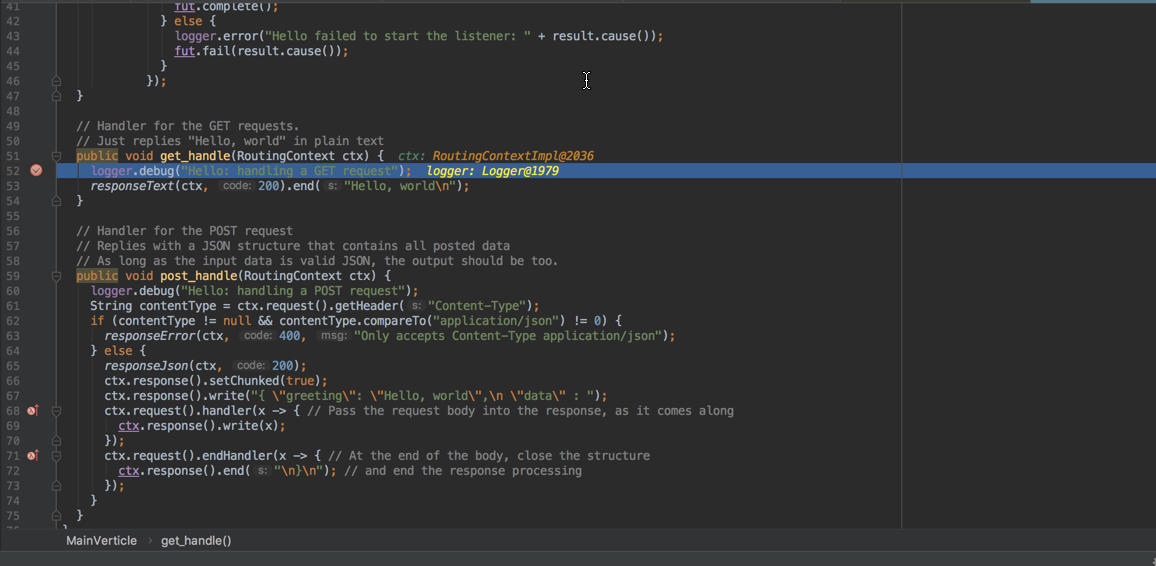
How to add/debug module in vagrant image (jar file)
- Natalia Zaitseva
- Kateryna Senchenko
- Oleksii Popov
Owned by Natalia Zaitseva
Small guide for those who are trying to add and test own modules with vagrant integration for the first time.
Step-by-step guide
- Download vagrant image from Folio vagrant storage. (Preferable 'folio/testing' or 'folio/testing-backend')
Modify Vagrant file by adding following string
config.vm.network "forwarded_port", guest: 5005, host: 5005
- Build the jar using 'mvn clean install' command and place '*-fat.jar' into shared folder with name .vagrant

Run vagrant image
vagrant up
vagrant ssh
Set DB config properties to the environment variables
curl -w '\n' -D - -X POST  \
  -H "Content-type: application/json" \
  -d '{"name":"DB_HOST", "value":"10.0.2.15"}' \
  http://localhost:9130/_/env

curl -w '\n' -D - -X POST  \
  -H "Content-type: application/json" \
  -d '{"name":"DB_PORT", "value":"5432"}' \
  http://localhost:9130/_/env

curl -w '\n' -D - -X POST  \
  -H "Content-type: application/json" \
  -d '{"name":"DB_USERNAME", "value":"folio_admin"}' \
  http://localhost:9130/_/env

curl -w '\n' -D - -X POST  \
  -H "Content-type: application/json" \
  -d '{"name":"DB_PASSWORD", "value":"folio_admin"}' \
  http://localhost:9130/_/env

curl -w '\n' -D - -X POST  \
  -H "Content-type: application/json" \
  -d '{"name":"DB_DATABASE", "value":"okapi_modules"}' \
  http://localhost:9130/_/env
DB_HOST value should be the same as nodeId (see step 7).
- Deploy ModuleDescriptor
(send ModuleDescriptor.json with request)
Deploy module
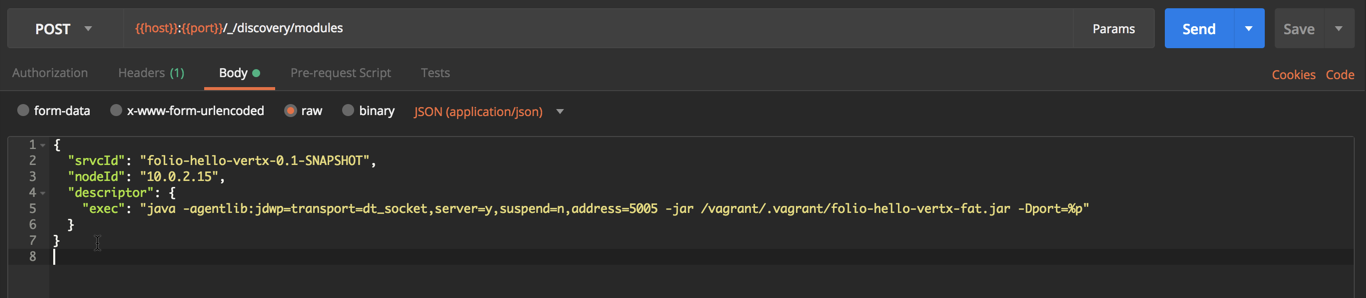 For debug
"exec": "java -agentlib:jdwp=transport=dt_socket,server=y,suspend=n,address=5005 -jar /vagrant/.vagrant/<MOD-NAME>-fat.jar -Dport=%p"
vagrant ssh -c "ip address show eth0 | grep 'inet ' | sed -e 's/^.*inet //' -e 's/\/.*$//'" # find IP to place for 'nodeId'
Enable module for tenant
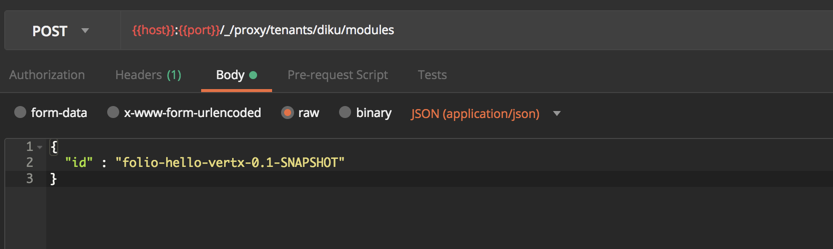
http://localhost:9130/_/proxy/tenants # GET available tenants- Open IDE and setup Debug Configuration
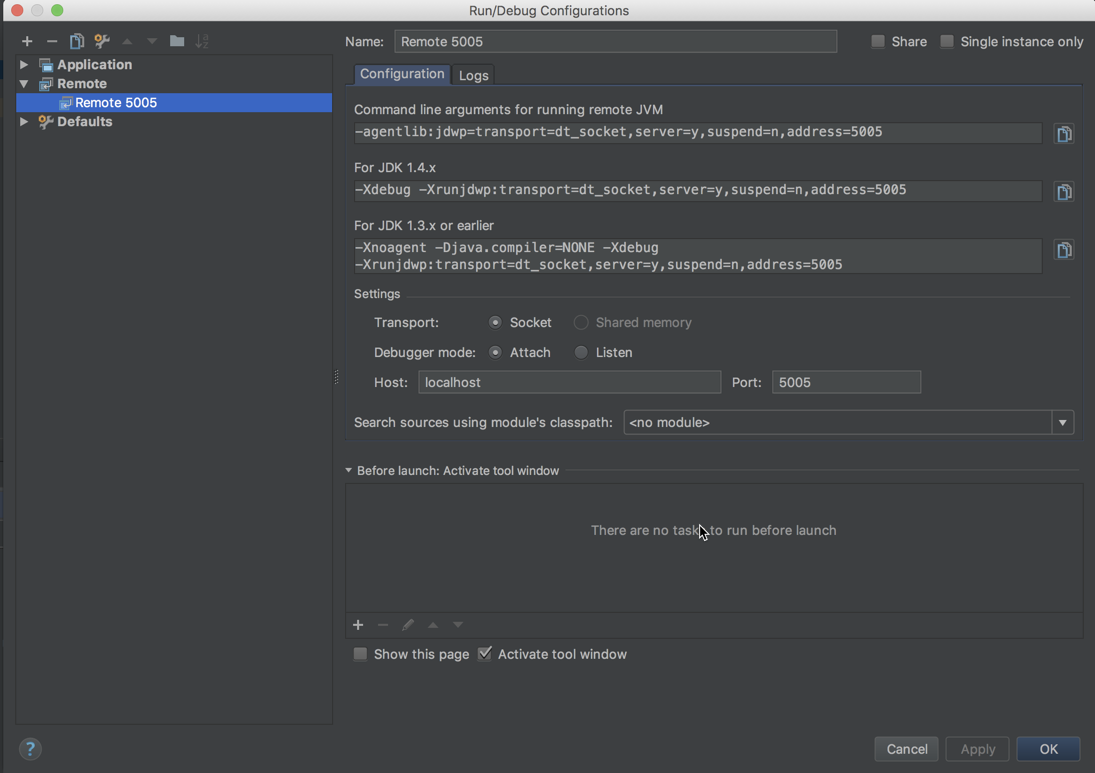
- Set breakpoint and click on 'Debug' button
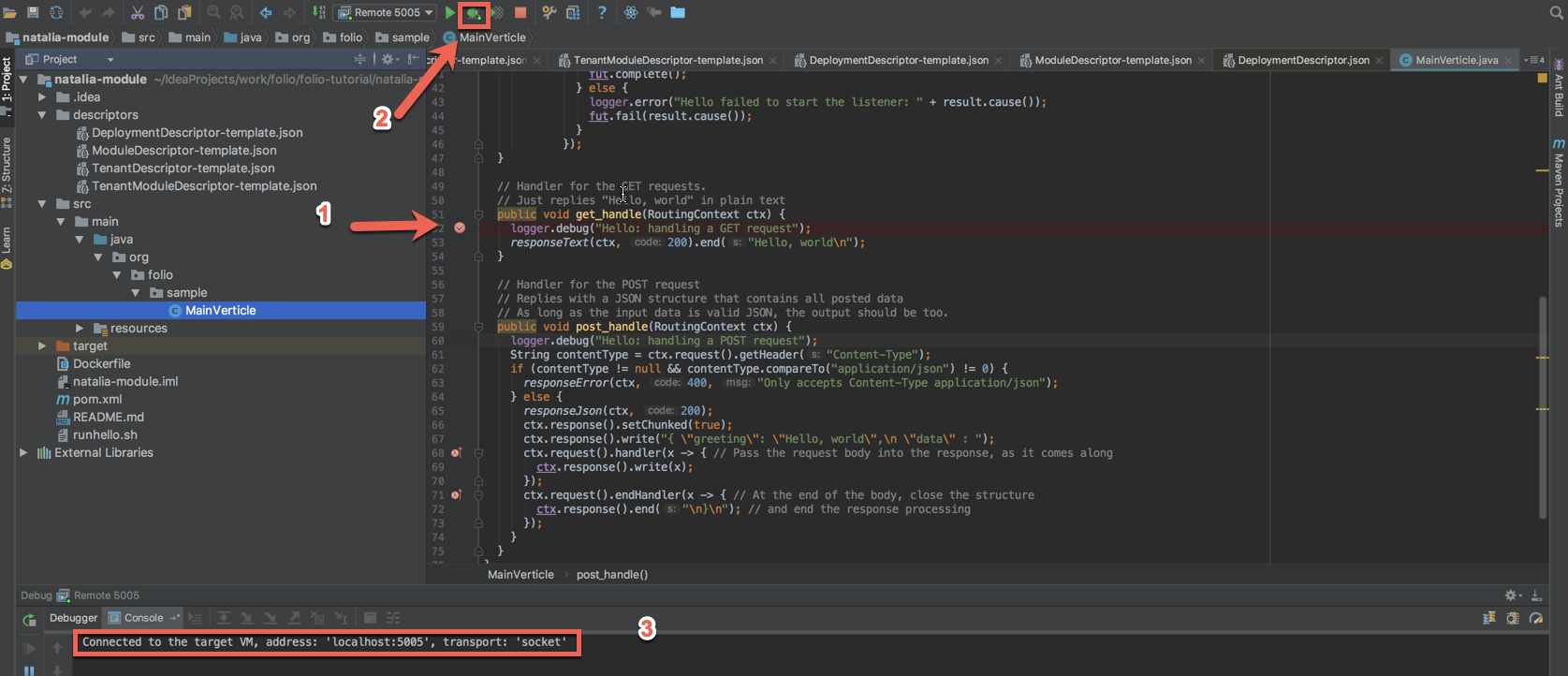
Perform the call to module
http://localhost:9130/hello
- Enjoy debugging